Introduction
Glint is an on-screen keyboard you control with your eyebrows and your breath, through a webcam.
Glint is a switch-access keyboard for people who cannot reliably use their hands or voice. A highlight moves across a board on its own. You raise your eyebrows to pick what is highlighted, and breathe out slowly to say the sentence aloud. It needs a webcam and the Presage SmartSpectra SDK. There is no special hardware and no Glint account.
Early software
Glint is a challenge entry at version 0.1. It has not been tested with disabled users, and its gestures were tuned on one recorded session of one person. It is not a medical device. See Scope for exactly what has and has not been tested.
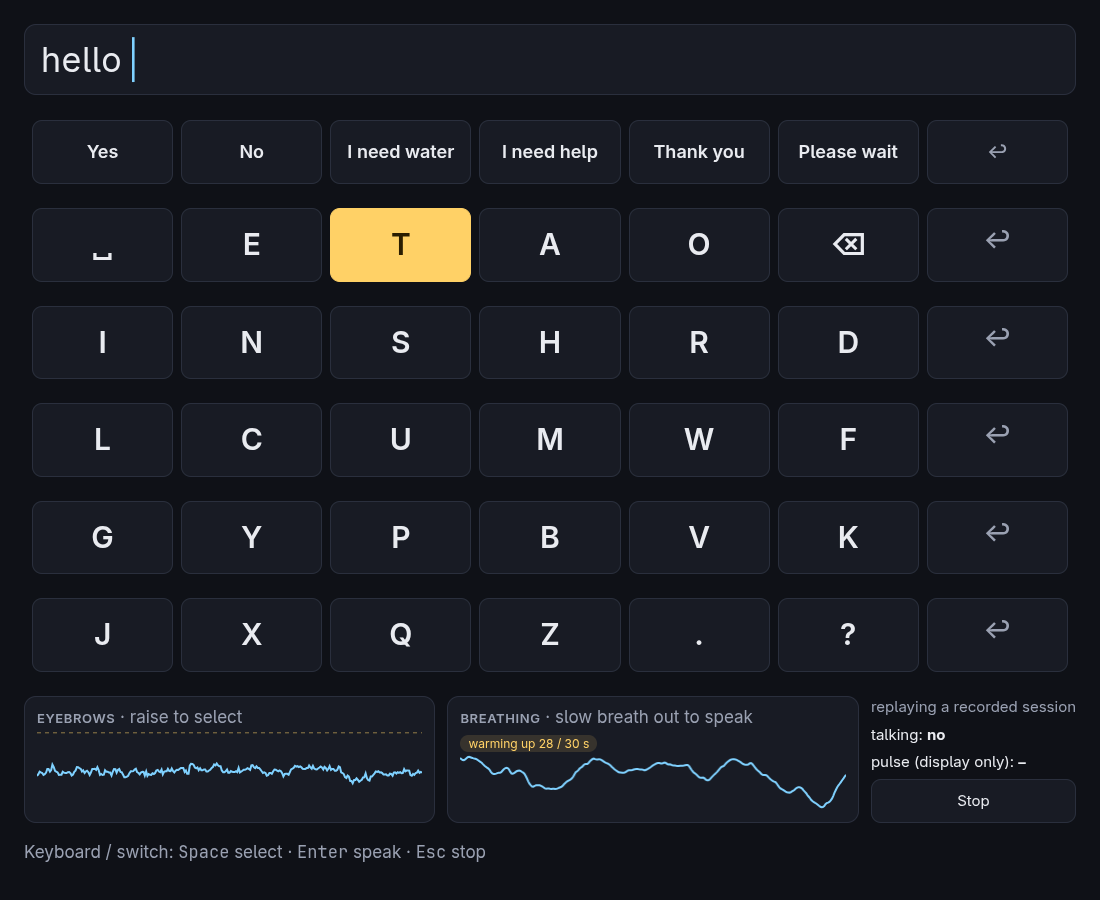
What you can do with it
- Type without hands. Pick letters by row and then by key. See The board.
- Say a common phrase in two selections. "Yes", "I need water" and four others sit on the top row, and you can edit them. See Settings.
- Speak what you typed. A slow breath out reads the text aloud and copies it. See Gestures.
- Use a physical switch instead. Anything that sends
SpaceandEnterworks. - Try it with no camera. A recorded session can drive the app. See Basic usage.
How a gesture becomes speech
The webcam sees you
Frames stay in memory on your computer. The SDK turns them into face landmarks and a breathing trace.
A detector recognises the gesture
Small functions watch those signals for a raised eyebrow or a slow breath out.
The scanner picks a key
An eyebrow raise selects whatever the scanner has highlighted.
Glint speaks
A slow breath out sends the sentence to the speech engine and the clipboard.